We all love how Docker packages and runs containerized applications, making it really straightforward for teams and businesses to deploy workloads.
There is a point, however, where a single host eventually creates limits around scaling, availability, and workload management. Kubernetes adoption resolves these challenges through container orchestration across multiple hosts, but adopting it introduces additional infrastructure and operational complexity.
Here at ServerMania, we understand how important infrastructure decisions are. We help organizations establish personalized infrastructure, including Dedicated Servers, Server Clusters, and a cloud platform (AraCloud). This gives teams a practical infrastructure solution as their requirements evolve from simple Docker deployments toward Kubernetes clusters.
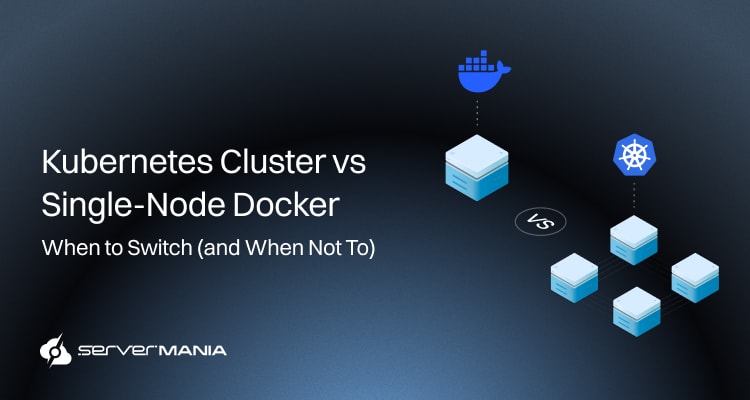
This guide gives you a decision framework for determining when to stay with single-node Docker, when Kubernetes adoption makes sense, and what factors should influence the transition.
Kubernetes vs. Single-Node Docker: What Are You Actually Choosing?
When using Docker containers, you’re primarily going on a much simpler path in managing containers on a single machine. Docker is excellent at providing running containers with a container runtime, as well as all the tools one might need, such as Docker Compose and Docker CLI.
This model works perfectly for local development and smaller containerized applications, especially for teams that need a straightforward development experience.
Kubernetes, on the other hand, introduces a completely different layer of infrastructure. Here, instead of focusing on managing containers on a single host, Kubernetes acts as a container orchestration platform for containerized workloads across multiple hosts. The Kubernetes environment uses a control plane as well as an API server to maintain the desired state of applications.
This enables capabilities such as load balancing, horizontal scaling, and self-healing, which also include automatically replacing or restarting failed containers. The trade-off is increased operational complexity, so the decision between Docker and Kubernetes is less about which technology has more features and more about choosing the right tool for your application and infrastructure.
See Also: Containerization Vs. Orchestration

Single-Node Docker in Simple Terms
Single-node Docker really is a straightforward solution for managing containers, where everything runs on a single physical or virtual host. It gives developers all the tools to create containers, package applications, and deploy containers without introducing a complete container orchestration platform.
For many modern applications, especially smaller containerized workloads, one machine with enough compute resources provides a simple and cost-effective environment.
- Container Runtime: Docker provides the container runtime for running containers on a single operating system, including everything needed.
- Docker CLI: The Docker CLI lets developers create, start, stop, and manage containers without potential local development limitations.
- Docker Compose: Docker Compose helps teams define and run multiple containers that work together as one application.
- Container Images: Teams package applications into a container image for more consistent environments across development and production.
- Local Development: Docker supports local development with a familiar developer experience and a straightforward development approach.
- Single-Host Workloads: Applications that fit on a single machine often do not need the additional complexity of cluster management.
See Also: What is Docker Container: Architecture, Uses, and Benefits
What Kubernetes Adoption Will Add
Container orchestration is essential for managing communication among microservices. That’s why high-performance workloads such as AI and machine learning can benefit from Kubernetes. However, unlike Docker, Kubernetes operations require considerable planning beyond just installing Kubernetes. In fact, Kubernetes has a steep learning curve requiring an understanding of complex containerization concepts.
See Also: What Is a Kubernetes Cluster?
That’s why Kubernetes is used for building robust DevOps CI/CD pipelines. The ecosystem includes very diverse tools for networking, storage, and observability. It also offers automated health checks, RBAC, and network policies, along with architecture support for tasks across public cloud and private infrastructure.
This prompts organizations to evaluate costs associated with the Kubernetes environment beyond the raw infrastructure expenses.
- Kubernetes Clusters: Kubernetes coordinates all the workloads across multiple machines within Kubernetes clusters.
- Control Plane: The control plane maintains the desired state of applications and coordinates cluster operations simultaneously.
- API Server: The API server provides the central interface for managing Kubernetes resources and workloads across multiple instances.
- Self-Healing: Kubernetes can easily detect failed containers and restart them to maintain the desired state and normal operation.
- Load Balancing: Kubernetes provides load balancing across application instances, so the load doesn’t fall on a single node alone.
- Horizontal scaling: Kubernetes supports horizontal scaling and helps applications automatically scale as user demand changes.
Note: Kubernetes is the default foundational operating system for cloud-native applications, and its architecture supports workloads across public clouds and private infrastructure.
When Docker Containers Are the Obvious Choice
Single-node Docker is a straightforward and very practical approach when you have a predictible type of workflow, especially when a certain workload fits on a single host. Modern application development does not always require orchestration, and when smaller, containerized applications are involved, maintaining a simpler infrastructure appears to be the more cost-effective approach.
Let’s explore scenarious where single-node Docker is the obvious choice:
Your Workload Fits One Host
When one server provides enough capacity, adding multiple hosts introduces complexity without a clear advantage. Single-node Docker works well for applications with predictable resource requirements and moderate demand, and here are a few points for evaluation:
- One server provides enough CPU, memory, and storage.
- Your workloads have predictable resource requirements.
- Straightforward resource allocation without traffic spikes.
Your Team Values Simplicity
A smaller team often benefits from fewer infrastructure components to maintain. Docker and Docker Compose provide a familiar environment without requiring developers to learn cluster administration.
- IT teams spend less time managing infrastructure.
- Docker Compose runs apps with multiple services.
- Developers get a simpler developer experience.
- Troubleshooting remains focused on a single host.
Apps Don’t Need Orchestration
If your apps do not require automated scaling, cross-host failover, or complex service management, Kubernetes adds operational overhead without solving a specific problem. Docker lacks all of the native orchestration features, but Docker Swarm provides another orchestration option for smaller workloads.
- Your apps have no requirement for automated scaling.
- No need to distribute workloads across multiple hosts.
- Manual intervention is acceptable for occasional failures.
- A simpler stack provides the right tool for the workload.
So, it’s clear that you don’t always need orchestration for efficiently managing containerized applications, even when dealing with dynamic workloads. However, complex distributed systems and containerization platforms that demand scalable applications will take advantage of a specialized orchestration approach.
When Container Orchestration Starts to Make Sense
So, if workloads require a container orchestration solution, then Kubernetes becomes more relevant. This becomes obvious when a single Docker host starts limiting scalability, availability, or workflow efficiency. As applications grow into dynamic workloads and distributed systems, a container orchestration solution helps teams coordinate infrastructure without manually managing every workload.
Step 1: Assess Workload Complexity
To begin the assessment, start by evaluating your specific application. Look at how the app is structured and how much coordination is required. A simple app with only a few services has different infrastructure needs from a system with dozens of interconnected workloads.
A basic client-server architecture often works with a simpler deployment model. In turn, multiple services with complex dependencies increase the value of orchestration.
Many teams working on the same app often benefit from standardized deployment and management. If Kubernetes work already represents a significant part of your infrastructure planning, evaluate whether adopting it now reduces future migration effort.
Step 2: Assess Scaling Requirements
Scalability requirements are often the deciding factor. Scaling needs provide one of the clearest signals for Kubernetes adoption. If demand changes frequently, manually adjusting the containers and servers becomes increasingly difficult. This is where orchestration is required.
For instance, try to undergo this tough experiment:
- Try to estimate how often the workload demand will change.
- Identify the applications affected by sudden traffic increases.
- Determine if you need automated scaling across multiple hosts.
- Consider whether your infrastructure needs to support growth.
If your application is relying on automated scalability without manual intervention, a cluster with an orchestration platform like Kubernetes is your best bet.
Step 3: See Availability Requirements
Availability becomes more important as applications become critical to your business. A single Docker host creates a clear failure point, while Kubernetes supports architectures designed to balance loads and distribute workloads across multiple nodes in the infrastructure.
If your availability requirements are high, without too much tolerance for downtime, perhaps a failover system is exactly what you’re looking for. Try to identify whether a single server represents a danger to your operation and where the unacceptable failure point is. Also, review security requirements alongside availability, especially when applications handle sensitive data or serve external users.
Step 4: Inspect Operational Capacity
It’s important to remember that orchestration platforms like Kubernetes will introduce many additional responsibilities, so your team needs enough expertise and time to manage them. This includes cluster maintenance, monitoring, networking, security, upgrades, and troubleshooting.
Assess your team’s existing Kubernetes knowledge. Then, try to determine exactly who will handle the cluster administration and maintenance. Consider whether a managed Kubernetes environment from a cloud provider would reduce operational work. Also, don’t forget to check whether your team has the monitoring and security processes needed for production workloads.
Did You Know❓
Kubernetes also fits naturally into cloud native computing foundation practices, where automation and standardized infrastructure play a central role. Worth noting, Kubernetes was originally developed at Google, but it is now widely used across cloud and on-premises infrastructure.
See Also: Kubernetes Clusters on Dedicated Infrastructure
Step 5: Compare Cost and Complexity
Lastly, the decision must account for more than infrastructure pricing. Kubernetes introduces additional operational requirements, while single-node Docker keeps the infrastructure simpler. So, compare both approaches across the areas that affect your actual operating cost.
| Main Cost Factors: | Single-Node Docker: | Kubernetes Cluster: |
|---|---|---|
| Infrastructure | Lower | Higher |
| Setup Efforts | Low | Medium to High |
| Maintenance | Low | Medium to High |
| Monitoring | Simple | Complex |
| Team Expertise | Lower | Higher |
The main question businesses must answer is whether the additional overhead that Kubernetes produces is worth it, considering the application’s demand.
So, if your workload rarely changes and one host meets your requirements, single-node Docker often remains the more economical choice. If you need automation, high availability, or multi-host scaling, the additional Kubernetes cost becomes easier to justify.
Single-Node Docker or Kubernetes Cluster: Decision Framework
If you have read through the guide, you should have a much better understanding of whether a single-node Docker or a Kubernetes cluster is better in your scenario.
The answer is simple: there is no clear winner.
To help you further, we’re going to dive deeper into the different types of applications and their specific infrastructure requirements. It’s going to help you closely match your workflow with one of the examples, allowing you to better determine the right infrastructure choice.
| Requirement: | Docker: | Kubernetes: | Example Workflow: |
|---|---|---|---|
| Small Application | Strong fit | Often excessive | Company website with a few services. |
| One Single Server | Strong fit | Limited benefit | Internal business application with mild demand. |
| Multiple Servers | Limited | Strong fit | Web platform running across several hosts… |
| Automatic Scaling | Limited | Strong fit | E-commerce site responding to changing demand |
| High Availability | Limited | Strong fit | Payment service requiring continuous availability |
| Many Services | Increasing complexity | Strong fit | SaaS platform with API, workers. |
| Predictable Traffic | Strong fit | Often unnecessary | Internal reporting application systems. |
| Traffic Spikes | More manual | Strong fit | Ticketing platform during major events. |
| Small Team | Strong fit | Depends on expertise | A startup with a small development team. |
| Growing Apps | Eventually limited | Strong fit | SaaS product adding users and services. |
The table is a starting point, not a strict rule. If your workload sits between the two options, consider whether your current Docker setup is creating measurable scaling, availability, or management problems before taking on Kubernetes complexity.
See Also: How to Choose the Right Container Hosting Provider
Meet ServerMania | Kubernetes and Docker Infrastructure
If you’re not yet certain about the type of infrastructure you need, ServerMania provides fully customizable solutions for running modern containerized workloads.
With Dedicated Server Solutions and AraCloud, teams have the infrastructure options suited to different stages of Docker deployments. This gives organizations room to choose the environment that matches their workload, performance, scalability, and operational requirements.
For teams ready to move beyond a single Docker host, we provide Server Clusters designed to support Kubernetes adoption. If you’re ready, get in touch with our 24/7 customer support or book a 100% free consultation to discuss your containerized workload with experts.
⚡We’re available right now!
Was this page helpful?
About the author