Self-Hosting Costs Predictability: Cost Saving, Hidden Costs & Strategies
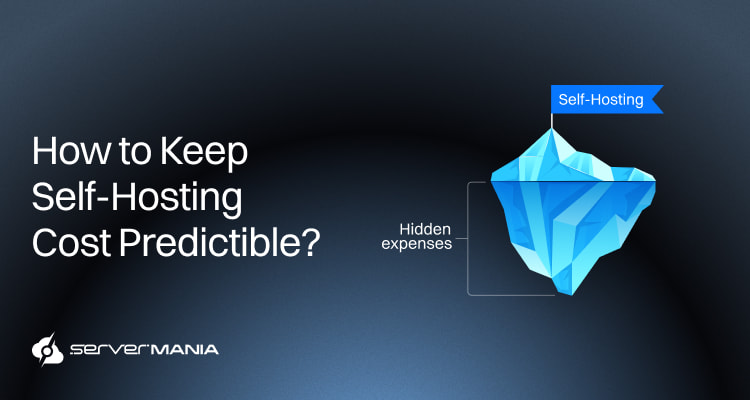
Self-hosted infrastructure offers more control than any other hosting model, typically through cloud or dedicated services. While this model is the formula for sustainable growth, it introduces several hosting expenses that many business owners won’t expect.
From upfront investments for hardware and licensing to monthly recurring bills for electricity and app subscriptions, predicting the cost could be challenging.
At ServerMania, with more than two decades of delivering self-hosted infrastructure, has given us clear insight into every cost driver behind stable deployments. Through dedicated servers and cloud hosting, we have learned how to accurately forecast workflow budgeting, how to avoid hidden costs, and created numerous ways to optimize spending in self-hosted setups.
This quick guide walks you through the real cost of self-hosted infrastructure, hidden expenses, and the best strategies for precise cost predictability.
Self-Hosting Infrastructure Costs: Sizing Basics
A self-hosting setup provides you with complete control over the infrastructure, but also changes the way operational expenses affect your business. With a self-hosted environment, predictability is much easier to achieve if you know the core hosting expenses and how they work together to shape the total cost.
The total cost of ownership includes hardware, electricity, maintenance time, and data management, while hidden costs often represent up to 60% to 70% of overall spend.
First, let’s take a look at all base factors affecting the cost:
- Hardware: The upfront investment is the base layer, including everything from HW components to networking equipment, depending on performance needs.
- Electricity: The uptime is directly tied to the power usage, which is a steady monthly expense for absolutely any self-hosted environment.
- Bandwidth: The bandwidth usage is another large cost factor that changes based on your needs, bandwidth plan, and traffic patterns.
- Security: Security is hardly optional, especially for large businesses, where firewalls, malware scanning software, and monitoring tools are a necessity.
- Licensing: Software, like SQL and Windows distributions, needs a license for full functionality, and may or may not be necessary in your operations.
The aforementioned factors fall under the “predictable costs“, just because you can easily estimate the requirements and draw the bottom line with most of the expenses upfront. So, predictable costs enable businesses to create reliable budgets and enhance their financial planning.
In turn, unpredictable costs in IT can strain cash flow and complicate resource allocation. These might include external services, recovery systems, and hidden costs.

Hidden Costs Explained
The hidden costs are not always the fine print that entrepreneurs overlook. The hidden costs mostly arise because of poor planning without a futuristic perspective.
Many teams and organizations calculate their hosting costs solely by considering the monthly pricing. This means ignoring all risks and indirect expenses that often damage the long-term budget stability. These hidden infrastructure costs have a direct impact on both cash flow and customer experience.
Starting with the most important…
1. Cheap Hosting Plans
Cheap hosting options often lead to high long-term costs that impact growth and profitability for small businesses. Businesses using budget hosting solutions experience average uptime rates of only 99.5%, compared to 99.9% with premium services, resulting in nearly 44 hours of additional downtime annually.
The average load times on budget hosts are 2.5 seconds slower than those on quality hosting, which can reduce conversions by 7% for every second of delay. Also, budget providers often reduce critical security features, which increases exposure to attacks and puts sensitive data at risk. The combined impact of lost conversions, damaged SEO, security vulnerabilities, and many technical limitations can cost small businesses an average of $5,600 annually when using cheap hosting.
In turn, the higher quality hosting improves operational efficiency, strengthens security, and supports stable long-term performance. Most premium hosting typically achieves return on investment within 6-12 months for most small businesses due to improved uptime and performance.
Pro Tip: Investing in managed WordPress hosting can generate significant long-term savings through bundled services like automated backups and security updates.
2. Bandwidth Surprises
Bandwidth surprises, or unexpected bandwidth usage, are a hidden hosting expense that arises out of the blue and can hardly be predicted. It mostly affects businesses with traffic spikes, rapid growth, and seasonal demand, which were not accounted for promptly.
Using historical usage data can help businesses build more accurate forecasts for IT and cloud costs. This means visibility into traffic patterns, optimization in content delivery networks (CDN integration), monitoring tools, and, of course, flexible bandwidth plans to accommodate it.
3. Provisioning & Idling
Over-provisioning is another fundamental factor that is considered a hidden cost due to poor evaluation of business needs. This often leads to unused (idling) resources, which businesses pay for in full, but can’t use effectively because of demand insufficiency. However, monitoring idle resources and shutting down unused servers can help cut costs.
We also have under-provisioning, which also arises due to poor evaluation of performance needs and often ties to budgeting in small businesses.
These hidden costs arise mainly with dedicated servers, considering that cloud computing often allows resource scaling to match performance needs and reduce costs.
Choosing the Right Hosting Model for Predictable Costs
When it comes to self-hosted environments, cost predictability often boils down to the service provider and, of course, the hosting model. The operational needs of organizations typically lean one direction or another: bare metal dedicated servers or cloud computing.
Reliable hosting typically costs anywhere from $30 to $200 CAD per month for small to medium-sized businesses, depending on the plan type and included features.
Let’s go through both hosting types to learn more…
Cloud Computing
For most small businesses, cloud computing is the go-to hosting model. The predictable costs in cloud computing often come from services with fixed pricing models, which simplify budgeting. Cloud hosting adjusts to the traffic patterns, allowing businesses to pay only for the resources they actually consume, which can lead to cost savings of 30-50% compared to traditional fixed-resource plans.
In short, VPS hosting provides dedicated resources without the expense of a full server, making it an optimal choice for growing businesses. This is the best possible way to tackle uncertainty, especially with startups that have no established traffic patterns, unclear growth expectation and vague targets.
While cloud computing doesn’t provide 100% predictable cost, it eliminates one of the highest hidden costs: over-provisioning and under-provisioning.
Tip: Cloud cost management tools can assist in achieving predictable IT and cloud costs by automating budget controls.
Dedicated Servers
Dedicated servers are the other alternative, where teams purchase or rent a dedicated server, with an initial investment for their own infrastructure. While businesses can always upgrade their hardware, the performance stays fixed. It works ideally for businesses with established traffic patterns, clear growth estimations, and a need for more redundant, stable, and larger infrastructure.
Dedicated hosting brings more predictability in costs because of the fixed hardware components and clear monthly expense expectations. The bare metal servers offer improved performance and reliability, unlike the shared resources of cloud hosting.
The downside here is that the time cost of setup and maintenance can range from 20 to over 1,300 hours annually, depending on the complexity of the systems used.
Self-Hosted Cloud Vs Dedicated: Spending Curve
Cloud servers appear much cheaper and attractive for many businesses due to their readiness, lack of involvement, and pre-designed infrastructure. While this is correct for businesses with uncertain future growth, there is a spending curve that tells a different story.
Here’s how dedicated and cloud hosting cost (estimated) curves over 5 years period:
| Year: | Cloud Infrastructure (VPS / Cloud Instances) | Dedicated Server Infrastructure |
|---|---|---|
| Year 1 | $2,400 | $5,000 |
| Year 2 | $4,800 | $6,800 |
| Year 3 | $7,500 | $8,400 |
| Year 4 | $10,800 | $10,000 |
| Year 5 | $14,400 | $11,600 |
What makes dedicated servers cheaper in the long-run is predictability. While cloud computing starts cheaper due to no initial investment, businesses often focus on monthly prices that reflect their current performance demands. They don’t really account for the pricing that comes with scaling. In turn, with dedicated servers, over-provisioning might impact costs to a certain degree, but monthly spending will remain predictable for years ahead, keeping the budget organized.
This is the exact reason why businesses start with cloud services, and when the monthly prices exceed their expectations, they migrate to dedicated services.
See Also: How to Migrate a Website to a Dedicated Server
Self-Hosting Cost Predictability Framework
If we put the hardware aside, or we exclude the monthly fee for renting, whether it’s a dedicated or a cloud hosting, there are still additional expenses that must be considered. We’re going over the most common, monthly, or one-time payments that need consideration.
Electrical Supply
Uninterruptible Power Supply (UPS) is essential for protecting equipment from surges and maintaining uptime during outages. Running a server continuously incurs additional electricity costs, which can be approximately $10 per month for home servers drawing 70W–150W.
App and Software
The costs for premium software licenses can vary greatly, and some may be necessary for security or backup management. While many self-hosters use open-source software, some applications require paid licenses for advanced features and enterprise support.
Also, most businesses are running websites or web services, and the domain name registration costs approximately $10 to $20 per year.
Disaster Recovery
Backup solutions are critical for self-hosting, with costs ranging from $3 to $10 per month for services like Backblaze or Amazon S3. Also, it is recommended to periodically audit server setups to ensure hardware is adequately utilized and to identify unnecessary costs.
HW Maintenance
Maintenance time for self-hosting typically requires significant hours for security patching, hardware repairs, and troubleshooting. There might be upfront hardware replacement costs, but with a self-hosted environment, managed services might be required.
So, to manage the “self-hosting trap”, you must calculate the total cost of ownership (TCO), including electricity, replacement parts, and necessary software licenses
Here’s a framework for small business owners, mid-size setups, and enterprises:
| Cost Component: | Small Business | Mid-Size Setup | Enterprise Setup |
|---|---|---|---|
| Initial Hardware Investment (servers, storage, networking) | $800 | $6,000 | $45,000 |
| UPS and Power Protection | $150 | $800 | $6,000 |
| Monthly Electricity Bills | $10 | $90 | $900 |
| Domain Registration | $15 | $40 | $150 |
| Backup Storage & Recovery | $5 / month | $40 / month | $300 / month |
| Software Licenses and SSL Certificates | $20 / month | $180 / month | $1,200 / month |
| Security Tools and Malware Protection | $15 / month | $120 / month | $900 / month |
| Monitoring Tools and Infrastructure Management | $10 / month | $100 / month | $700 / month |
| Network Equipment Maintenance | $5 / month | $60 / month | $450 / month |
| Hardware Replacement Reserve | $20 / month | $200 / month | $1,500 / month |
| Maintenance Labor | $200 / month | $1,200 / month | $8,000 / month |
All these factors and numbers highlight why it’s so important to accurately plan everything to be able to have an estimation that is really close to reality. For example, initial costs for self-hosting a website can range from $50 to over $2,000, depending on hardware choices.
Based on these estimates, we can come up with an estimation that accurately predicts our costs:
| Business Size: | Upfront Cost: | Monthly Cost: | Yearly Cost: |
|---|---|---|---|
| Small Business | $950 | ~$300 | ~$4,550 |
| Mid-Size Business | $6,800 | ~$2,090 | ~$31,880 |
| Enterprise | $51,000 | ~$13,950 | ~$218,400 |
⚠️ Disclaimer: The prices in the table represent estimated market averages at the time of writing, and might not reflect real-world costs.
The Best Strategies to Control Costs for Small Businesses
Predictable costs help businesses scale their infrastructure confidently without unexpected financial burdens. That’s why it’s important to adopt a few strategies when choosing a self-hosted infrastructure, which will keep your costs as predictable as possible.
1. Choosing a Reliable Hosting Provider:
Choosing a hosting provider with a strong uptime guarantee can save businesses from revenue losses due to downtime. The performance gap between budget and quality hosting remains significant, with premium services delivering 99.9% uptime compared to only 99.5% uptime with cheap alternatives.
Also, most quality hosting providers include numerous value-added features that would otherwise require separate purchases, potentially saving businesses hundreds or thousands of dollars annually.
So, choosing a hosting provider that aligns with your website’s actual needs is fundamental to cost optimization, as many businesses waste money on unnecessary features.
2. Taking Advantage of Annual Payment:
The longer-term commitments for hosting plans often secure lower rates, with multi-year contracts providing the most substantial discounts. Paying annually for hosting services can lead to significant discounts compared to monthly billing.
Many providers offer savings plans that are typically tied to annual entanglement. In turn, the basic plans with a monthly cost always end up being more expensive from an annual finance point of view.
3. Using Premium, Not Cheapest Hosting:
Quality hosting can prevent costly security breaches and downtime incidents that plague your budget alternatives. The bundled services in premium hosting plans can save your business money on separate purchases for essential features. So, investing in premium web hosting delivers measurable returns that offset the initial higher price tag.
4. Optimizing Servers via Consolidation:
Consolidating services with Docker or lightweight VMs can optimize resource usage and lower costs. Instead of running multiple servers for separate services, teams group workloads on fewer machines and allocate resources more efficiently. This approach reduces unused infrastructure capacity and lowers overall hosting expenses.
5. Implementing Solid Failure Prevention:
Using centralized monitoring solutions can reduce maintenance overhead and costs by eliminating threats early on. These monitoring tools track system health, traffic, resource usage, and unusual activity across all servers and services in one place. Early alerts help teams respond before issues affect performance, security, or uptime.
While following some of these strategies does not directly minimize cost and seems more expensive to begin with, they will reduce expenses later on.
Quick Tip: Using spot or preemptible instances can significantly reduce costs for non-critical workloads.
Home Self-Hosting for Small-Scale Use:
When it comes to home-hosted infrastructure, we can confidently reassure that it works perfectly for many lightweight workloads. A basic home setup for self-hosting typically costs between $10 and $100 per month but includes various ongoing expenses. Many small and private companies take advantage of home infrastructure for tighter access control, data transfer, storage, reserved instances, and more.
These environments often support testing setups, automation tools, backups, and lightweight website or file storage workloads without major infrastructure investment. For instance, a $100 mini PC can adequately handle basic home automation, ad-blocking, and simple file storage tasks.
For small businesses, home setups work best for non-critical workloads where strict uptime, security, and performance requirements are lower.
Self-Hosted Predictability: Final Thoughts
At the end, predictability in self-hosted environments depends on accurate workload planning, realistic infrastructure sizing, and choosing the right hosting provider. Whenever businesses understand their traffic patterns, resources, and operational needs, they gain stronger control over long-term hosting expenses and avoid unexpected cost spikes.
This is where the right infrastructure solution with transparent pricing makes a measurable difference.
Transparent Infrastructure & Pricing at ServerMania
Here at ServerMania, we support predictability with workflow evaluation through free consultation with experts and accurate evaluation of business needs. We support small businesses with affordable cloud hosting and enterprises through unmetered dedicated servers. With stable servers, strong security, and better performance, businesses gain the cost visibility required to plan the growth ahead confidently.

To take predictability one step further, explore our pricing guides:
- Dedicated Server Pricing Guide
- Cloud Server Pricing Guide
- Small Business Server Cost
- Linux Server Pricing Guide
- Colocation Pricing Guide
💬 If you are curious to learn more about ServerMania services, data center locations, custom servers, and tailored solutions, visit our homepage or contact our 24/7 customer support.
Was this page helpful?
About the author