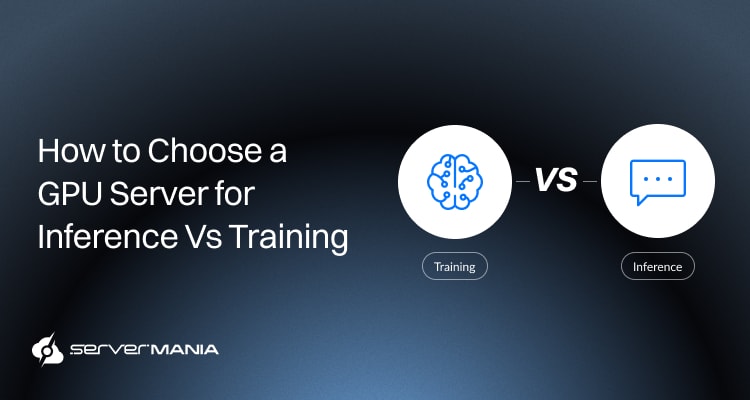
If you’re comparing a GPU server for inference vs training, it’s crucial to understand how each of these workload types places demand on the hardware. While training and inference are generally categorized as “AI workloads“, they prioritize distinct outcomes and utilize GPU server hardware in different ways.
Here at ServerMania, we understand how important it is for teams and businesses to deploy optimized infrastructure based on unique requirements. We provide enterprise-grade GPU Servers purpose-built for machine learning, deep learning, and other demanding AI applications.
To help you understand how hardware affects training and inference, this guide walks you through GPU options, practical server configurations, recommendations, and more.
See Also: What Is An AI Server?
Difference Between AI Training vs AI Inference?

Artificial intelligence applications and workloads are split into two distinct phases: training and inference. While both types depend on very powerful Graphics Processing Units (GPUs), the HW requirements for servers differ significantly. Understanding the main differences will help you choose the correct GPU and avoid overspending on resources your workload doesn’t need.
- AI Training teaches AI models by processing large datasets with machine learning and deep learning algorithms.
- AI Inference uses already trained models to make accurate predictions or perform any specific tasks on new data.
There are, however, a few key differences…
While inference primarily focuses on delivering very fast results to users, training prioritizes building the underlying models through intensive computation. As a result, training demands more compute power, memory, and GPU acceleration for complex models, whereas inference needs low latency and efficient processing for tasks such as natural language processing, speech recognition, and image recognition.
Note: GPU servers can be 10–50x faster than CPU servers.
Why are Hardware Requirements Different?
When looking at AI model training and inference, they both require a GPU-dedicated server with similar hardware components, but place very distinct demands on individual pieces. The AI training builds and optimizes modes, which require billions of calculations, while inference’s predictions must be immediate.
To understand how each component contributes to both training and inference, we need to take a deep look at exactly what’s necessary for both AI workload phases.
See Also: NPU vs GPU: How To Choose The Right AI Acceleration Hardware
Compute Performance
Training requires maximum computational power because the GPU needs to process enourmous amount of data over many interations. Modern GPUs with thousands of GPU cores and Tensor cores deliver the needed GPU acceleration required for deep learning and machine learning.
On the other hand, inference also benefits from fast GPU performance, but the priority shifts toward fast response times and efficient request handling rather than continuous computation.
GPU Memory (VRAM)
The VRAM is what’s used to store everything within the model, including parameters and datasets, while the GPU is processing them. Therefore, trailing larger models often requires significantly more VRAM to fit the entire model, gradients, and temporary data.
In turn, inference typically uses less GPU memory because it only loads a completed model, and then it processes new data without updating its parameters.
See Also: What is the Best GPU Server for AI and Machine Learning?
CPU Requirements
While the CPU (Central Processing Unit) is not the protagonist in AI training and inference, it still plays a vital role. It is responsible for data preparation, scheduling, and coordinating hardware resources. High-core-count processors such as AMD EPYC CPUs help eliminate bottlenecks, especially when managing multiple GPUs or handling data-intensive workloads.
System Memory (RAM)
System RAM stores datasets, temporary files, and application data before it reaches the GPU. AI training often requires hundreds of gigabytes of memory when working with large datasets, while the inference workloads generally have lower memory requirements unless they’re serving requests simultaneously.
Storage Performance
Fast storage reduces loading times for datasets, checkpoints, and trained models. NVMe SSD storage offers the throughput needed for data science, data analysis, data analytics, and demanding workloads where storage speed directly impacts training efficiency.
Network Bandwidth
The network performance becomes increasingly important as AI infrastructure scales. High-bandwidth connections reduce communication delays between multiple GPUs, accelerate distributed training, and improve deployment of AI models for real time inference across production environments. For training, the network speed is not the primary requirement, but for inference, speed and bandwidth are critical.
Note: Training is usually a temporary, episodic cost while inference is a continuous operational expense.
GPU Server Requirements for AI Training
Training AI models needs substantial compute power, very high memory capacity (VRAM), and reliable GPU acceleration. As the model size increases, the training becomes more demanding and the number of processes and calculations multiplies. Choosing a GPU-dedicated server with the right GPU determines how quickly you train models and how large your workloads grow.
Best GPU Types for AI Training
The best GPU for training really depends on your model size and how intensive the performance needs are, going to be with scalability in mind. Training AI models requires high compute power, abundant VRAM, and strong GPU acceleration to process large datasets.
Some of the most popular GPUs for AI training include:
- NVIDIA RTX PRO 6000 Blackwell 96GB: This GPU is designed for enterprise artificial intelligence and large language models that require exceptional performance and memory capacity.
- NVIDIA RTX PRO 5000 Blackwell 48GB: This GPU delivers an excellent balance of performance and memory for machine learning, deep learning, computer vision, and NLP.
- NVIDIA H100 Tensor Core GPU: NVIDIA H100 NVL offers 141 GB of HBM3e memory. One of the industry’s leading accelerators for large-scale AI model training, distributed learning, and HPC.
- NVIDIA A100 Tensor Core GPU: Widely used in research institutions and enterprise data centers for training complex models, scientific computing, and data science applications.
Before today’s Blackwell, NVIDIA’s Tesla accelerators established the foundation of AI computing. Many organizations still use Tesla-based systems for AI-based research, inference, and legacy deployments.
Note: Training is characterized by repetitive forward passes and backward passes for parameter updates.
Single-GPU vs Multi-GPU Servers
A single GPU dedicated server is often the better deployment option when you’re dealing with smaller AI models, experimentation, or development. It provides good compute power for many machine learning projects while keeping infrastructure costs lower.
As AI workloads become more demanding, servers with multiple GPUs offer significant advantages. By using parallel processing, they reduce training times, support larger models, and enable organizations to process data-intensive workloads that exceed the memory or performance limits of a single GPU. Multi-GPU configurations are typically the preferred option for enterprise AI teams working with large models.
AI Training GPU Server Configurations:
To better understand how AI training servers are built for different workloads, the table below highlights several example ServerMania configurations.
| Use Case: | Configuration: | GPU: | RAM: | Storage: |
|---|---|---|---|---|
| Development & Small Models | AMD Ryzen 9950X | NVIDIA RTX PRO 5000 Blackwell 48GB | 64 GB DDR5 | 1 TB NVMe |
| Mid-Size AI Training & ML | AMD EPYC 9634 | NVIDIA RTX PRO 5000 Blackwell 48GB | 128 GB DDR5 | 1 TB NVMe |
| Enterprise AI & LLM Training | 2× AMD EPYC 9634 | RTX PRO 6000 Blackwell Server Edition 96GB | 128 GB DDR5 | 1 TB NVMe |
| Maximum Performance | 2× AMD EPYC 9554 | RTX PRO 6000 Blackwell Server Edition 96GB | 128 GB DDR5 | 1 TB NVMe |
Note: The aforementioned configurations are ready for deployment on ServerMania’s GPU Server Page, so feel free to explore pricing, setup times, and bandwidth options.
AI Training Workloads Example:
The correct server configurations really depend on the complexity involved in your project. We have prepared a few examples that align well with the aforementioned configurations.
This way, you can easily determine the type of hardware and GPU you need:
- Fine-tuning transformer models, recommendation systems, and small machine learning projects without a demand for multi-GPU configuration.
- Training computer vision models for image recognition, object detection, pattern identification, and medical imaging with predictible GPU demand.
- Building large language models, natural language processing applications, and enterprise chatbots using billions of parameters.
- Large-scale scientific computing, financial modelling, data science, and distributed deep learning workloads that require multiple days of continuous training.
One critical thing to remember is that the hardware heavily depends on the scale of the project, no matter the exact type or processing. It’s vital to choose a GPU server configuration that aligns with your current requirements while leaving room to scale as your model grows.
Did You Know❓
GPUs excel at parallel processing because they contain thousands of cores designed to execute many calculations simultaneously. This architecture makes them significantly better than CPUs for AI training neural networks and generating images with Stable Diffusion.
GPU Server Requirements for AI Inference
Unlike the raw training process, AI inference is primarily focused on running already trained models as effectively as possible. The goal is to deliver fast predictions with low latency and high throughput while using hardware resources efficiently for real time inference and LLM inference.
Best GPU Types for AI Inference
The vast majority of inference workloads prioritize response time and power efficiency. The ideal GPU depends on the size of your AI models, the number of users, and whether you’re providing to chatbots, computer vision, natural language processing, or other production AI applications.
Here are some of the most popular GPU choices for AI inference:
- NVIDIA L4 24GB Tensor Core: The L4 is optimized for production inference, offering excellent performance per watt for LLM inference, video rendering, computer vision, and AI.
- NVIDIA RTX PRO 4500 Blackwell 32GB: This GPU provides a strong balance of performance and efficiency for medium-sized AI models, speech recognition, and image recognition.
- NVIDIA T4 Tensor Core GPU: A widely adopted inference accelerator known for its low power consumption and efficient deployment across cloud and edge environments.
- NVIDIA A10 Tensor Core GPU. Designed for mixed AI and visualization workloads, the A10 delivers excellent performance for graphics rendering, inference, and virtual deployments.
An honorable mention here would be AMD Instinct GPUs, which are designed for HPC and AI, making them a popular choice for large-scale training clusters in research institutions and enterprise centers.
Note: NVIDIA L4 is optimized for AI inference tasks and HPC workloads.
AI Inference Server Configurations:
To understand how inference servers are configured, the examples below show several platforms paired with GPUs optimized for production AI deployments. These configurations prioritize fast response times, efficient resource utilization, and the ability to serve AI models reliably in most real-world environments.
| Use Case: | Configuration: | GPU: | RAM: | Storage: |
| AI Development & Small Inference Models | AMD Ryzen 9950X | NVIDIA L4 24GB Tensor Core | 64 GB DDR5 | 1 TB NVMe |
| Production AI APIs & Enterprise Applications | AMD EPYC 9634 | NVIDIA RTX PRO 4500 Blackwell 32GB | 128 GB DDR5 | 1 TB NVMe |
| High-Throughput LLM Inference | 2× AMD EPYC 9634 | NVIDIA RTX PRO 4500 Blackwell 32GB | 128 GB DDR5 | 1 TB NVMe |
| Enterprise AI Serving & Large-Scale Deployments | 2× AMD EPYC 9554 | NVIDIA L4 24GB Tensor Core | 128 GB DDR5 | 1 TB NVMe |
Note: Inference servers can increase throughput through techniques like dynamic batching of requests.
AI Inference Workloads Example:
AI inference finds application in production environments where trained neural networks respond to user requests in real time. The inference traffic tends to be elastic and bursty, which causes variable load on infrastructure resources. That’s why tasks prioritize consistent performance, low latency, and reliable throughput over the raw power required for model training.
Some of them include:
- Running enterprise chatbots and AI assistants with custom AI frameworks and NVIDIA GPUs, where immediate responses are expected.
- Powering visual computing, which includes GPU rendering and cloud-based rendering projects for creative professionals.
- Deploying AI-powered fraud detection, big data analysis, and a variety of decision-making tools used by data scientists.
- Supporting game development, scientific simulations, and other complex tasks that benefit from dedicated GPU resources.
The reason why these workloads benefit from dedicated GPU servers is that they offer complete control, root access, enhanced data protection, and the flexibility to customize operating systems for production environments. This makes them ideal for high-performance complex calculations.
Note: Utilization patterns for inference servers can lead to idle resources during off-peak times, impacting operating costs. However, inference can utilize quantization to allow GPUs to run on less memory and improve performance.
Dedicated GPU Servers for Training & Inference | ServerMania

To wrap things up, we can confidently conclude that modern AI applications, whether it’s model training or inference, depand powerful infrastructure that delivers predictible performance. Here at ServerMania, we support small teams and enterprises through a fully customizable Dedicated GPU Servers capable of handling the most demanding AI workloads and feature engineering.
Our GPU hosting solutions combine professional NVIDIA GPUs with high-performance AMD EPYC and Intel Xeon processors, enterprise-grade NVMe storage, and global data centers across Canada, North America, and Europe. The result is a dedicated AI infrastructure built to scale with your AI workloads.
See Also: How to Set Up and Optimize GPU Servers for AI Integration
Why Choose ServerMania?
- Fully customizable dedicated server configurations backed by a cloud platform (AraCloud), ready for hybrid projects and personalization.
- World-class data centers with connectivity from 1 Gbps up to 4 x 25 Gbps bandwidth, redundant power supply, and robust security.
- 24/7 customer support team ready to answer your inquiries, along with an opportunity to book a free consultation with an expert.
💬Get in touch. We’re available right now!
Was this page helpful?
About the author