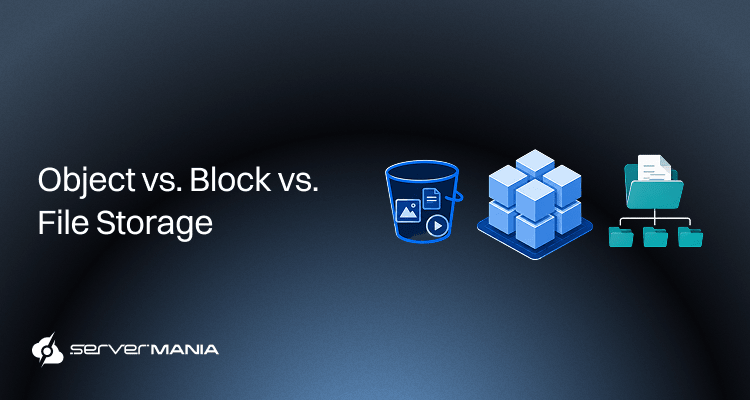
Object, block, and file storage are the 3 primary storage architectures used in modern IT environments, each designed to meet different requirements. The storage type refers to how your applications store, access, and manage data. Understanding how they work and where they align best is critical for businesses to choose the right option.
At ServerMania, we help organizations deploy high-performance infrastructure for storage-intensive and database-driven workloads. From Dedicated Storage Servers for backups, archives, and large datasets to Database Servers optimized for MySQL, PostgreSQL, and other transactional platforms.
In this guide, we’ll cover how each storage type works, compare their strengths and limitations, and help you determine which option best fits your workload requirements.
What Is Object Storage?
Object storage is one of the most modern storage systems, specifically designed to manage a very large amount of unstructured data. In contrast to ordinary filesystems or a block storage system, the object-based storage saves the information as individual objects. It means that every object contains the data itself, the metadata, and a unique identifier that is used for access/retrieval.
Nowadays, object storage is a critical part of modern workload requirements and storage architecture, especially for cloud storage, analytics, backup purposes, and content delivery.

How Object Storage Works
When using object storage, data is not stored in the traditional way as “directory trees“. Instead, every data piece is stored as an independent object with a flat namespace. Object storage treats each object as a self-contained unit, unlike file-based storage, which relies on folders/paths. These objects come with metadata that can include creation date, ownership information, retention policies, and many custom tags.
The way this works is that each object has a unique identifier, not a location. Applications can access this storage through APIs, which retrieve data from it. Because the underlying storage architecture does not depend on a traditional file system, object storage can distribute data across several storage devices and physical locations while presenting it as a single pool of storage.
This architecture helps teams and organizations manage metadata more effectively, especially at large-scale operations with tons of unstructured data across multiple environments.
Note: Object storage is less costly than block storage. The term blob storage stands for “Binary Large Object” storage, and many public cloud platforms, including Google Cloud, use it to store data volumes.
Object Storage Pros/Cons
While object storage brings a handful of advantages for specific workload scenarious, it also introduces many limitations that we shouldn’t overlook.
| Advantages: | Limitations: |
|---|---|
| Object storage is highly scalable and can handle large volumes of unstructured data. | It requires a low-latency network, making it unsuitable for HPC workloads. |
| Object storage allows custom metadata for detailed data descriptions. | Not ideal for transactional databases and other latency-sensitive applications. |
| Lower storage costs compared to many high-performance storage platforms. | Applications cannot mount it like a traditional file system. |
| Supports strong data protection and high availability through redundancy. | Updating a specific data block or a particular block is less efficient. |
| Well-suited for big data analytics, AI, and ML workloads. | Some legacy apps require modification before object storage adoption. |
| Helps organizations optimize costs for long-term storage and archives. | Performance may not match specialized storage solutions for intensive workloads. |
Did You Know?: Amazon S3 stored over 2 trillion objects by April 2013, while Azure claimed over 20 trillion objects stored by April 2014.
What Is Block Storage?
Block storage is another type of storage system that divides data even further. Each piece of information is divided into fixed-sized blocks, and every block has its own address. In order for the user to acquire a meaningful output and access to the data, the operating system combines these data blocks and then presents them as a usable volume. The primary purpose of block storage is speed. It delivers low latency and high-performance responses, required in demanding workloads.
Block storage is commonly used in environments where speed, responsiveness, and performance are non-negotiable and critical for smooth operations.

See Also: Server Storage Requirements
How Block Storage Works
The block storage systems split the information into multiple blocks, each of equal size. These blocks are then stored completely independently and assigned a unique address. When it’s time for an app to read or write data, the operating system accesses the needed blocks and reassembles them into full data files.
Thg block level storage focuses on the storage layer itself. This provides direct control over how the data is organized and accessed. Block storage can be commonly seen in a Storage Area Network (SAN). This is where infrastructure like fibre channel connections, SAN switches, and protocol bridges bring storage resources to the server. The best part is that since blocks are independent, apps can update a particular block without rewriting the entire file. This is especially helpful for optimizing performance in workloads that frequently need to read/write data, like databases on VMs.
Also, RAID arrays are important for block storage redundancy.
Note: Before the rise of SAN and cloud infrastructure, many databases relied on locally attached devices installed directly inside servers.
Block Storage Pros/Cons
Similar to other storage systems, block storage brings a lot of advantages for specific circumstances, but also introduces complexities for other workloads.
| Advantages: | Limitations: |
|---|---|
| Delivers high performance and low latency for demanding workloads. | Typically carries higher storage costs than object storage at scale. |
| Allows apps to update a specific block without modifying entire files. | Scaling is often more complex than with object storage systems. |
| Well-suited for transactional databases and virtual machines. | Block storage metadata is limited to basic file attributes only. |
| Supports demanding requirements and intensive read/write operations. | Often requires additional physical hardware and management overhead. |
| Works across different operating systems and enterprise workloads. | Organizations must carefully plan capacity to optimize costs. |
Note: Metadata in object storage can include attributes like permissions and policies, so developers use block storage for containerized applications.
What Is File Storage?
A file storage system is the most common storage system that uses the traditional way of storing data files via a hierarchical structure of folders and subfolders. It is the most familiar file storage model and is used by most desktop computers, servers, and shared network drives.
Unlike object-based storage or block-level storage, file-based storage stores information in a traditional file system, making it easy for users and applications to locate, access, and manage files. This simplicity has made file storage a common choice for collaboration, document management, and large file sharing.

How File Storage Works
In a file storage system, the data is organized into files, folders, and directories. Users and applications access the files the same way through file paths with the help of the underlying operating system, which handles how data is stored on the physical storage device.
File storage greatly softens the complexity of storage management and presents information in a format that is easy to understand. It is commonly used in Network Attached Storage (NAS), allowing multiple users to access data on the network simultaneously using common file-level protocols like SMB or NFS.
The storage is centrally managed, meaning that organizations can simplify access control, permissions, and collaboration across different operating systems. However, the file storage relies on physical storage devices like SSDs, HDDs, and redundant array build on independent disks.
See Also: Secondary Storage Devices: Definition, Types, and Backup Use Cases
File Storage Pros/Cons
The well-known file storage system has been helping businesses store, access, and manage data for decades, but it brings several limitations.
| Advantages: | Limitations: |
|---|---|
| A familiar file system structure that makes data management simple. | Performance is generally lower than that of high-performance block/object platforms. |
| Ideal for file sharing and collaboration between multiple users. | Scaling large environments can become increasingly challenging. |
| Works across different operating systems using standard network protocols. | Metadata capabilities are less advanced than object storage systems. |
| Easy deployment through network-attached storage appliances. | Performance can decline as file counts and large volumes of data increase. |
| Simplifies access control, permissions, and centralized management. | Less suitable for some latency-sensitive applications and workloads. |
| Supports many business applications without modification. | Not the best choice for databases or heavily virtualized environments. |
Did You Know? According to industry estimates, over 80% of enterprise data is unstructured, including documents, spreadsheets, presentations, images, videos, and email archives and storage via file storage.
Object Storage vs Block Storage vs File Storage: Comparison
Choosing between storage types requires understanding scalability needs and data type. Every form of data storage is designed to solve a different issue. Some organizations prioritize scalability, while others focus on performance requirements for databases, analytics platforms, or mission-critical applications.
The right solution depends on where your data resides, how apps access it, and the storage architecture design supporting your environment. Understanding the key differences between object, block, and file storage helps organizations align their infrastructure with both current storage needs and future growth.
Here’s a detailed side-by-side comparison:
| Object Storage | Block Storage | File Storage | |
|---|---|---|---|
| Storage | Stores data as objects with a unique identifier | Stores the data in fixed-size blocks | Stores the file data within folders. |
| Organization | Flat namespace | Individual blocks | Directory structure |
| Data Type | Primarily unstructured information | Structured and transactional data. | Documents, media, and spreadsheets |
| Access | Application API-based access | Access through the host layer | Access through file paths and folders |
| Performance | Moderate | High | Moderate |
| Scalability | Extremely scalable | Highly scalable | Limited scalability |
| Metadata | Extensive metadata capabilities | Minimal metadata capabilities | Basic file metadata capabilities |
| Infrastructure | Typically deployed in cloud environments | Often uses SAN infrastructure | Commonly deployed in NAS platforms |
| Hardware | Distributed storage nodes and cloud | Enterprise arrays, SSDs, and disk drives | NAS appliances and networked disk drives |
| User Access | Application-focused | Primarily server and application access | Built for collaboration among multiple users |
| Cost Efficiency | Lower cost for large datasets | Higher cost due to performance focus | Low to moderate cost |
What’s important to understand here is that these storage models are not mutually exclusive. A company might use object storage for backups and static files, deploy block storage for databases and VMs, and file storage for employee collaboration.
This hybrid approach is common in modern architectures because it allows organizations to optimize performance, scalability, and cost for different workloads.
Did You Know? Despite the growth of cloud storage, magnetic tape remains widely used for long-term archival storage. Large organizations often use it through gateway devices for compliance and disaster recovery because it offers a low cost per terabyte for data that is rarely accessed.
Which Storage Type Is Best for Different Workloads?
The best storage system really depends on the actual workflow. Many applications require consistency, rather than speed, while others prioritize scalability and cost efficiency. That’s why understanding how each storage type aligns with specific use cases makes it much easier to choose the right infrastructure.
Here are some popular workflows, and the storage model works best:
| Workload Type: | Optiman Storage: | Why: |
|---|---|---|
| Relational Databases (MySQL, SQL Server) | Block Storage | Delivers low latency and high IOPS for frequent read/write operations. |
| Virtual Machines (VMs) | Block Storage | Provides the performance and flexibility required for virtualized environments. |
| ERP & Business Applications | Block Storage | Supports mission-critical workloads that require predictable performance. |
| Cloud Backups | Object Storage | Highly scalable and cost-effective for storing large backup repositories. |
| Disaster Recovery | Object Storage | Offers durable long-term storage at a lower cost than high-performance storage. |
| AI & ML Datasets | Object Storage | Handles massive datasets efficiently and scales with growing storage demands. |
| Big Data Analytics | Object Storage | Ideal for processing and storing large volumes of unstructured data. |
| Media Libraries & Video Content | Object Storage | Supports scalable storage for images, videos, and other static assets. |
| Team File Shares | File Storage | Makes collaboration simple through shared folders and familiar file structures. |
| Content Management Systems | File Storage | Simplifies access to documents, uploads, and shared content repositories. |
| Hybrid Enterprise Environments | Hybrid | Allows organizations to optimize speed, scalability, and cost across workloads. |
The recommendations in the table are industry standards. However, many organizations combine object, block, and file storage as part of a broader storage strategy.
See Also: How to Choose a Filesystem for Storage Servers
Power Your Storage Workloads with ServerMania
Modern storage applications depend on infrastructure that supports their intent, maximizes performance, and allows seamless scalability. Here at ServerMania, we offer dedicated Storage Servers and Database Solutions optimized for backups, archives, large-scale cloud workloads, and mission-critical workloads.
Top-tier performance is guaranteed, whether you handle modern data services, large repositories, or speed-intensive workloads. We provide the infrastructure required.
See Also: Cold vs Hot Storage: Cost and Performance Planning
The ServerMania Advantage
- High-capacity storage configurations featuring enterprise HDDs, SSDs, and NVMe disk drives for backups, archives, media libraries, and large datasets.
- Flexible deployment options ranging from custom dedicated servers to instant dedicated servers, backed by our cloud platform solutions (AraCloud).
- Database-optimized infrastructure designed for low latency, high throughput, and the reliability required by mission-critical applications.
- Custom storage architectures with RAID configurations, redundant networking, and multiple paths to improve performance, resiliency, and availability.
💬If you have inquiries, get in touch with our 24/7 customer support or book a free consultation to discuss your next data storage project with an expert. We’re available to talk right now!
Was this page helpful?
About the author