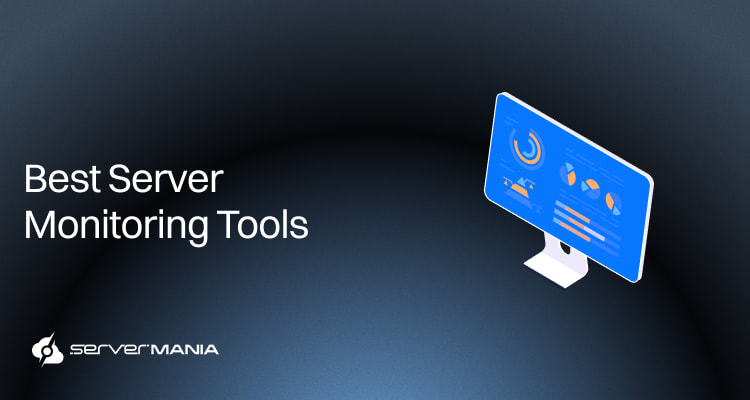
Server monitoring in 2026 is not an advantage; it’s a necessity, especially with modern workloads that require visibility and swift response when issues arise. Teams rely on advanced tools that aggregate data across systems to track performance metrics, maintain system health, and detect performance issues before they affect production environments.
At ServerMania, we support production workloads across global infrastructure for over 20 years and work closely with teams managing demanding environments. This guide exists to help IT teams evaluate the best server monitoring tools in 2026 and choose solutions that align with their infrastructure and long-term growth.
Why Server Monitoring Tools Are That Important?
Server monitoring tools provide real-time performance insights to help teams proactively address any issues before they impact user experience. Real-time monitoring, predictive analytics, and scalability are key features to look for in infrastructure monitoring tools.
Alerts and notifications must be generated based on configurable thresholds in server monitoring tools. On the other hand, visual displays must support the visual display of captured telemetry with trending available over variable periods of time in monitoring tools.
When combined, this effective monitoring helps organizations reduce their downtime, optimize resource usage, and simplify operations. Choosing the right open source monitoring tool requires understanding your team’s needs, infrastructure scale, and the type of data you want to monitor.
Key Server Monitoring Metrics
The key metrics for server monitoring include CPU load, memory usage (RAM), storage, and network performance. Most observability tools in this guide offer a complete solution and real-time monitoring, which is crucial for proactive issue identification and quick responses in server monitoring environments.
Beyond the key metrics, teams also track resource utilization, disk usage, uptime, and many service-level performance metrics to maintain consistent operations.
See Also: The 10 Best DevOps Tools in 2026
1. Best for Dedicated Servers and VMs
Dedicated servers and virtual machines (VMs) power the largest portion of production workloads, and clear visibility is an absolute necessity for most. A powerful infrastructure monitoring tools are at the core of the strong and consistent business operations.
These server monitoring tools continuously track the performance and uptime of the IT infrastructure to ensure servers are running smoothly.
For dedicated servers and VMs, the priority is deep server monitoring with consistent performance metrics and quick response to performance issues.
1.1 SolarWinds
SolarWinds is ideal for teams and organizations that run mixed dedicated and virtualized projects and need strong visibility across their IT systems. This tool is known for its deep infrastructure monitoring capabilities across both cloud and bare metal environments.
SolarWinds offers agentless web performance software with a strong focus on server and network performance monitoring.
SolarWinds Standout Features:
- Supreme server health tracking and system health monitoring
- Robust performance metrics and performance data collection
- CPU, memory, and disk usage monitoring with clear thresholds
- Resource utilization measurements across core infrastructure
| Strengths: | Limitations: |
|---|---|
| Deep visibility into server health | Higher pricing at rapid scaling |
| Very strong real-time monitoring | Setting it up requires planning |
| Precise hardware measurements | The interface could feel dated |
| Full resource utilization monitor | Many modules add complexity |
| Coverage across network devices | Less suited for modern stacks |
Alerting & Reporting Capabilities:
SolarWinds is ideal for real-time monitoring. It quickly detects performance issues, detects potential bottlenecks, and alerts before they impact the user. SolarWinds supports growing infrastructure with built-in reporting features and clear, customizable dashboards.
Best For:
The ideal use-cases for SolarWinds would be:
- Large network traffic for web apps on dedicated servers
- Database servers running large production workloads
- Virtualized enterprise applications across VM clusters
- Internal systems supporting daily business operations
1.2 ManageEngine OpManager
ManageEngine OpManage is perfect for teams and organizations dealing with enterprise-grade VMs and dedicated servers who need strong visibility. ManageEngine OpManager provides comprehensive server monitoring for both physical and virtual servers, tracking CPU usage, memory, and disk space.
This monitoring tool provides constant visibility across multiple layers of infrastructure. It works on physical servers, network-connected workloads andd hypervisors with strong customization options.
ManageEngine OpManager Standout Features:
- Strong server health and system health workload monitoring
- Detailed performance metrics and performance data tracking
- CPU, memory, and disk usage monitoring with clear thresholds
- Consistent resource utilization visibility across infrastructure
| Strengths: | Limitations: |
|---|---|
| Strong visibility into server health | The interface feels complex for new users |
| Reliable real-time monitoring coverage | The setup takes time in large environments |
| Deep hardware performance tracking | Advanced tuning requires deep experience |
| Complete resource utilization visibility | The reporting features have limitations |
| Large support for network devices |
Alerting & Reporting Capabilities:
ManageEngine OpManager stands out with its really fast response capabilities, which make it an ideal tool for real-time monitoring. This is crucial for teams who need to detect performance issues, respond quickly, and maintain uptime across production workloads.
Best For:
The ideal use-cases for ManageEngine OpManager would be:
- Enterprise web platforms running on dedicated infrastructures
- Enterprise Resource Planning (ERP) system on virtual machines
- On-premises database servers with heavy and steady workloads
- Internal applications supporting many daily business operations
1.3 Zabbix
Zabbix is an open-source monitoring platform known for its scalability and flexibility, tracking server performance and availability in real-time. Zibbix offers strong infrastructure monitoring across core services, while supporting long-term growth and scalability.
Zabbix Standout Features:
- Reliable server health and system health monitoring at scale
- Full performance metrics and metrics collection capabilities
- Accurate processor, RAM, and disk usage tracking operation
- Consistent resource utilization visibility across system layers
| Strengths: | Limitations: |
|---|---|
| Highly customizable monitoring setup | Steeper learning curve for beginners |
| Flexible real-time monitoring coverage | The interface could feel less polished |
| Precise infrastructure measurements | The reporting setup requires effort |
| Complete resource utilization tracking | Smaller ecosystem vs the paid tools |
| Deep historical performance tracking |
Alerting & Reporting Capabilities:
Zabbix is more flexible than other tools, and teams use it to establish a wide range of specific types of monitoring. Some of them include anomaly detection, trend tracking, errors in production environments, and much more versatile measurements.
Zabbix integrates well with third-party tools in existing systems and provides a level of customization that can fit enterprises with unique requirements.
Best For:
The ideal use-cases for Zabbix would be:
- Large-scale VM clusters with steady workloads
- Hosting platforms running mixed environments
- Backend systems processing internal workloads
See Also: How to Install and Use Zabbix
2. Best for Containers and Kubernetes
Containers and the Kubernetes server cluster run constantly moving workloads in distributed systems. Teams and organizations require visibility across different services, nodes, and specific applications for strong infrastructure health. Observability tools are necessary in managing complex infrastructure, not only for internal safeguarding, but also for meeting customer expectations.
For containerized workloads and Kubernetes, the priority is deep application monitoring, consistent metrics logs, traces, and fast identification of bottlenecks across orchestration layers.

See Also: How to Automate Server Scripts on Linux Servers
2.3 Datadog
Datadog is ideal for businesses running containers and Kubernetes that require full-stack visibility in services and infrastructure. It delivers unified application monitoring and infrastructure insights across distributed systems with strong real-time visibility across workloads.
The best thing about Datadog is that it integrates with more than 500 services to provide full visibility into infrastructure and applications.
Standout Features:
- Full-stack visibility across modern observability platforms
- Very strong correlation across the metrics, logs, and traces
- Features built-in automation across dynamic environments
- Datadog offers deep insights across containerized workloads
| Strengths: | Limitations: |
|---|---|
| Strong Kubernetes-native monitoring support | The Datadog pricing grows with usage |
| Excellent correlation across telemetry data | Advanced setup tuning is necessary |
| Deep visibility across distributed services | |
| Reliable automation across many workloads |
Alerting & Reporting Capabilities:
Datadog offers a great operational workflow in distributed systems. The tracking remains top-tier with full trend monitoring, fast issue detecton and uptime maintenance. Real-time visibility is strong, and the notification channels provide flexible and customizable alerts and actionable insights.
Best For:
The ideal use-cases for Datadog would be:
- Kubernetes clusters running large microservices platforms
- Containerized SaaS platforms that handle high daily traffic
- All platform workloads supporting mission-critical services
3. Best for Enterprise and Mature Ops Teams
Enterprise environments manage large-scale services across distributed systems, server clusters, and hybrid platforms with layers of dependencies. Observability here is crucial for infrastructure health and IT teams for the successful management of consistent service delivery.
For the enterprise workloads, the priority is strong correlation across metrics logs and traces, faster root cause analysis, and clear workflows to support large-scale business operations.

Dynatrace is an enterprise-grade monitoring tool supporting the most advanced tasks in distributed systems. Most organizations use Dynatrace for system anomaly detection, with fast alert times and uptime monitoring. The reporting capabilities suit large-scale production workloads through different notification channels and a high level of customization.
Best For:
The ideal use-cases for Dynatrace would be:
- Enterprise SaaS platforms with distributed services
- Largest e-Commerce platforms handling global traffic
- Microservices architectures across hybrid environments
- Mission-critical systems supporting business operations
Did You Know❓
Organizations report that a single hour of infrastructure downtime can cost over $300,000, highlighting the importance of effective monitoring.
3.2 New Relic
New Relic is an observability tool that fits enterprise teams running distributed applications who need deep visibility across services, infrastructure, and user experience. It features very strong application performance monitoring with unified workflows across the entire infrastructure.
New Relic provides deep observability into server performance, application health, and user experience metrics, making it ideal for enterprise-grade purposes.
Standout Features:
- Unified workflows across modern observability platforms
- Great visibility across layered app and system structures
- Scalable architecture and integration with mature systems
| Strengths: | Limitations: |
|---|---|
| Strong full-stack observability workflows | The pricing grows with the data volume |
| Excellent telemetry correlation features | The alerting system requires refinements |
| Deep visibility into application layers | |
| Reliable distributed tracing coverage | |
| Scales well across enterprise systems |
Alerting & Reporting Capabilities:
New Relic is focused on production workloads in very large environments. It’s the ultimate choice for many enterprises that need to track regression faster and isolate issues immediately. New Relic also maintains performance across customer-facing workloads.
Best For:
The ideal use-cases for New Relic would be:
- Enterprise SaaS platforms with many global users
- Customer-facing web applications with high traffic
- Mobile applications with distributed backend services
- API platforms supporting large-scale business operations
4. Best for Budget and Open Source Setups
The budget-conscious teams often run infrastructure across mixed production workloads with limited resources. However, they still require a reliable way of monitoring all the key metrics to support their business operations. That’s where flexible, open source monitoring tools stand out, helping businesses manage their growth, network health, and hardware performance.
For the budget-focused workloads, the priority is strong resource utilization, uptime monitoring, and practical workflows for resolving performance issues across systems.

4.1 Nagios
Nagios eliminates the high licensing cost for teams running mixed workloads with limited budget and a need for reliable monitoring of important metrics. Similar to premium monitoring tools, Nagios offers a security incident response system, a user-friendly interface, performance bottlenecks detection, and integration for multi-cloud environments.
Nagios is one of the most widely trusted and used open-source server monitoring tools, known for its flexibility and extensive plugin ecosystem.
Standout Features:
- Large plugin ecosystem across mixed environments
- Flexible monitoring across legacy and modern stacks
- Strong coverage across core infrastructure components
| Strengths: | Limitations: |
|---|---|
| Highly flexible plugin-based monitoring | Easy to learn, yet outdated interface |
| Strong community ecosystem support | Manual configuration is required |
| Reliable coverage across workloads | |
| reat cost-effectiveness for growing teams |
Alerting & Reporting Capabilities:
Nagios offers unified monitoring with instant alerts for system disruptions, and seamless integration with various third-party tools. Nagios is known for enabling users to customize dashboards and achieve proactive monitoring of system performance without a large investment.
Best For:
The ideal use-cases for Nagios would be:
- Legacy enterprise applications on dedicated servers
- Internal infrastructure running consistent workloads
- Network-heavy environments in distributed systems
- Core platforms supporting daily business operations
4.2 Icinga
Icinga is an open source monitoring solution for observing the availability and performance of the IT infrastructures. It is ideal for teams that want open flexibility with a more modern workflow than legacy tools. Icinga supports scalable server monitoring across distributed systems and works well for teams managing hybrid workloads with limited budgets.
Standout Features:
- Modernized fork with improved usability over legacy tools
- Strong automation across many distributed environments
- Flexible configuration across mixed production workloads
- Reliable monitoring across any multi-layered infrastructure
| Strengths: | Limitations: |
|---|---|
| Modern and easy-to-understand interface | The initial setup requires some effort |
| Strong automation and scalability features | Smaller ecosystem & documentation gap |
| Very strong API-driven integrations | Icinga might require tuning over time |
| Works across hybrid environments |
Alerting & Reporting Capabilities:
Icinga is ideal and most-efficient in production systems that require tracking of system performance, dedicated and cloud resources monitoring, and automated discovery of issues to prevent downtime. It offers intuitive dashboards with reporting features and multiple notification channels.
Best For:
The ideal use-cases for Icinga would be:
- Hybrid infrastructures running mixed workloads
- Internal systems with low performance demands
- Monitoring in VM platforms and cloud services
How To Choose the Right Tool for Monitoring
Choosing the right monitoring tool requires understanding your team’s needs, infrastructure scale, and the type of data you want to monitor. The right server monitoring tool should seamlessly integrate into your workflow and provide the features you’ll use. The tool should support various notification channels for alerts, such as email and SMS.
It’s also important to assess the vendor’s track record, product reliability, and long-term support across evolving environments. Hence, evaluating the vendor’s reputation and customer reviews is important when selecting a server monitoring tool.
Pro Tip: Trial periods or demos can help test the tool’s features in your environment before committing.
ServerMania Hosting Solutions
Strong monitoring begins with solid infrastructure. Here at ServerMania, we’ve been helping customers establish their workloads through dedicated servers, cloud servers (AraCloud), and colocation services. We provide a production-ready environment, enabling users to deploy a strong monitoring toolkit and support their operations through visibility and predictability.
As a leading managed service provider, our infrastructure optimizes performance across production deployments and encourages server monitoring.
See Also: Managed vs. Unmanaged Server Support
If you’re curious to learn more, explore ServerMania services and start monitoring your infrastructure with precision. If you have questions, book a free consultation or get in touch with our 24/7 support.
💬 We’re available to discuss your projects right now!
Was this page helpful?
About the author